

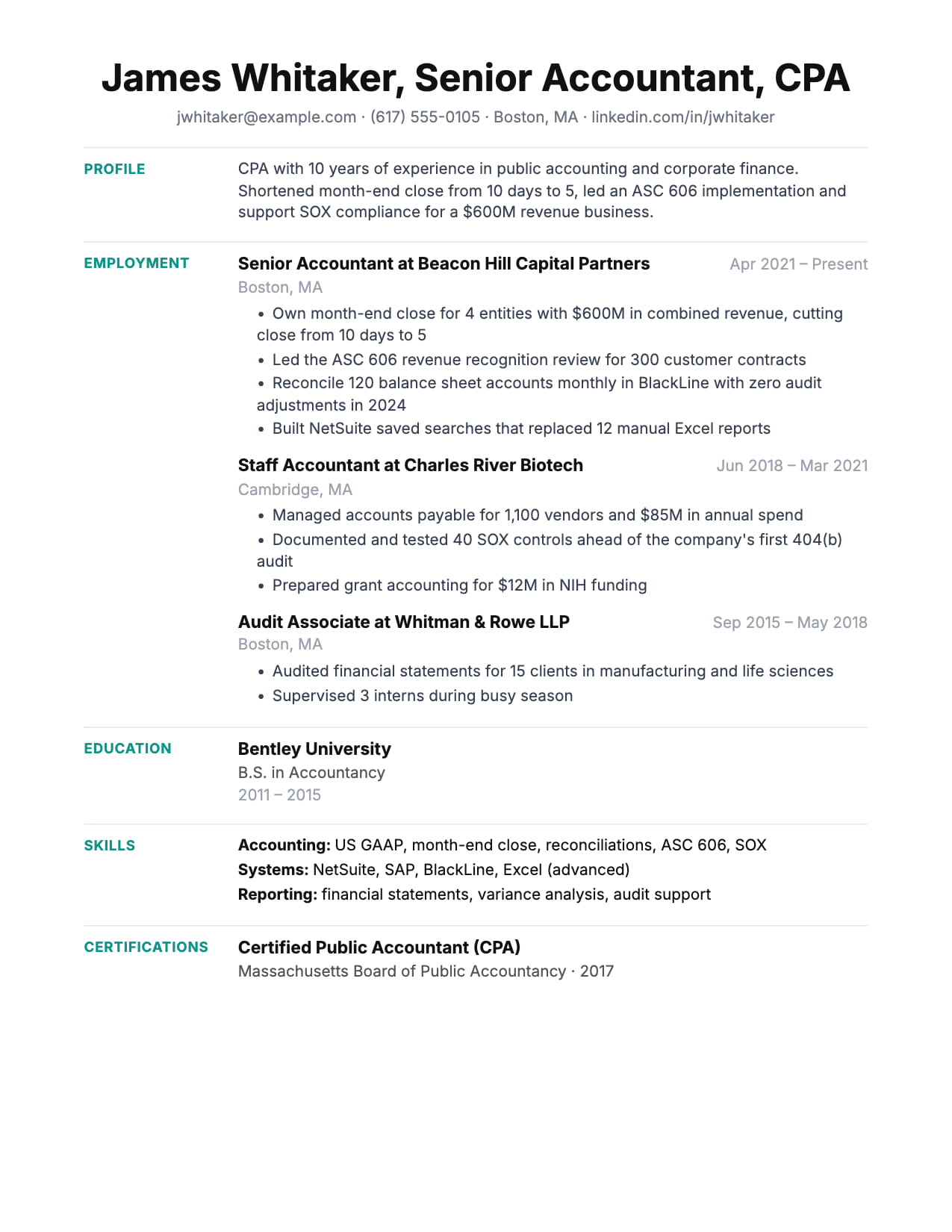
Ledger Resume Template
Finance-inspired clean lines. Numbers and metrics command attention.
No credit card · No watermarks · Switch templates any time
About this template
Ledger is designed for professionals where numbers are the language: finance, accounting, investment management, strategy, and operations roles where measurable impact is the primary currency of a strong resume.
The template name reflects its philosophy: every line should carry a number. P&L responsibility, team size, budget managed, cost savings achieved, revenue generated. Ledger's clean, structured layout makes those metrics stand out rather than hiding in dense paragraphs.
For CFOs, finance directors, controllers, FP&A leads, and investment professionals, Ledger matches the analytical rigour of the roles they're targeting. The layout is structured, precise, and undecorated: the same qualities valued in financial analysis.
Ledger is ATS-safe (single column, standard headings) and pairs well with CVEdge's Fix All ATS tool for ensuring your bullets have the quantified structure finance roles require.
Who is this template for?
- CFOs, finance directors, and controllers
- FP&A managers and investment professionals
- Operations and strategy leaders with P&L responsibility
- Accountants and audit professionals in senior roles
Start with this template for free
Upload your existing resume or start from scratch. CVEdge pre-fills your content into the template and gives you an instant ATS score.
Why this template works for experienced professionals
Ledger uses ruled separators and a structured, almost tabular rhythm to organize a dense career. It suits finance, accounting, operations and project delivery, fields where a resume carries many discrete engagements, clients or certifications and the reader needs clear visual boundaries between them.
Recommended section order
- 1Contact
- 2Summary
- 3Experience
- 4Key projects
- 5Certifications
- 6Education
The separate 'Key projects' section is what makes Ledger useful for consultants and delivery professionals. Engagements can be listed with client, scale and outcome without cluttering the employment chronology.
What to put where
Summary
Three or four sentences naming your domain, the scale you operate at, and your strongest quantified result. Finance and operations readers expect numbers early.
Experience
The rules between roles do the separation, so bullets can be tightly packed without losing legibility. Lead with figures: budget managed, cost saved, cycle time reduced.
Key projects
Client or program, scale, your role, outcome. One block each. This is where delivery professionals demonstrate range that the employment list alone would hide.
Certifications
Ledger's structure suits a proper list with issuing body and year, valuable in fields where these are screened literally.
Common mistakes with this template
- Duplicating content between Experience and Key projects, which wastes space and reads as padding.
- Listing every project rather than the five or six that show range and scale.
- Leaning on the structure while leaving bullets unquantified. In finance and operations, an unmeasured bullet is conspicuous.
- Adding further dividers or shading on top of the existing rules, which makes the page busy.
When to choose something else
Candidates with a simple linear career and no discrete projects to list will usually be better served by the Executive layout.
Questions about this template
Is Ledger template good for investment banking applications?+
Yes. Ledger's clean, numbers-first structure suits IB applications. The layout makes P&L metrics and deal experience read clearly. Works at both analyst and director levels.
What kind of metrics should experienced finance professionals include?+
P&L size managed, team size, cost savings (£/$), revenue influence, fund size (for investment roles), audit scope (number of entities/revenue), and percentage improvements in key metrics.
Should consultants list projects separately from employment?+
Usually yes, and it solves a real problem. A consultant's employment history may show two firms across ten years, which conceals the range of what you actually did. A separate projects section lets you show client type, engagement scale and outcome across many engagements without disturbing the chronology. Keep it to five or six that demonstrate breadth rather than listing everything.
Do ruled lines and separators affect ATS parsing?+
Visual rules drawn as borders or styling are ignored by parsers. They read the text, not the decoration. The distinction that matters is whether the layout uses an actual table to position content, which can scramble reading order. Ruled separators in a single-column flow, as here, are safe.
Template features
- Clean lines that make metrics and numbers stand out
- Structured layout suited to analytical professionals
- ATS-safe single column
- Precise spacing for dense financial experience
- Professional typography for regulated industry applications
More experienced professionals templates
View all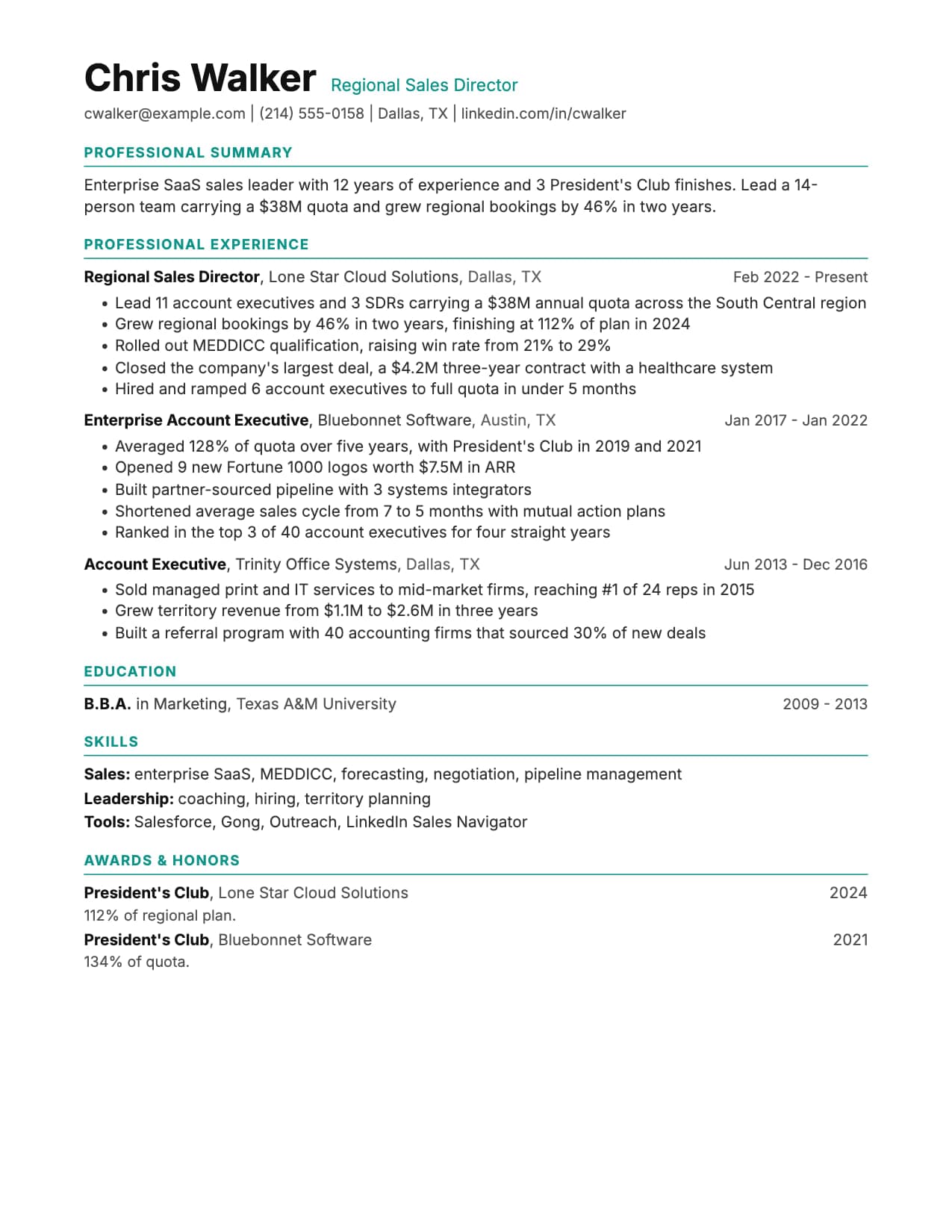
Executive Resume Template
Built for twenty years of career on two pages, with premium spacing and a summary that leads, on a single ATS-safe column. Free to edit online, or download as Word or PDF.

Executive Pro Resume Template
Bold photo header with dark contact bar. Leadership presence from the first line.

Executive Sidebar Resume Template
Dark sidebar with photo. Corporate and legal feel for senior roles.
Build your resume with Ledger for free
Upload your existing resume or start fresh. ATS score included. No credit card required.