

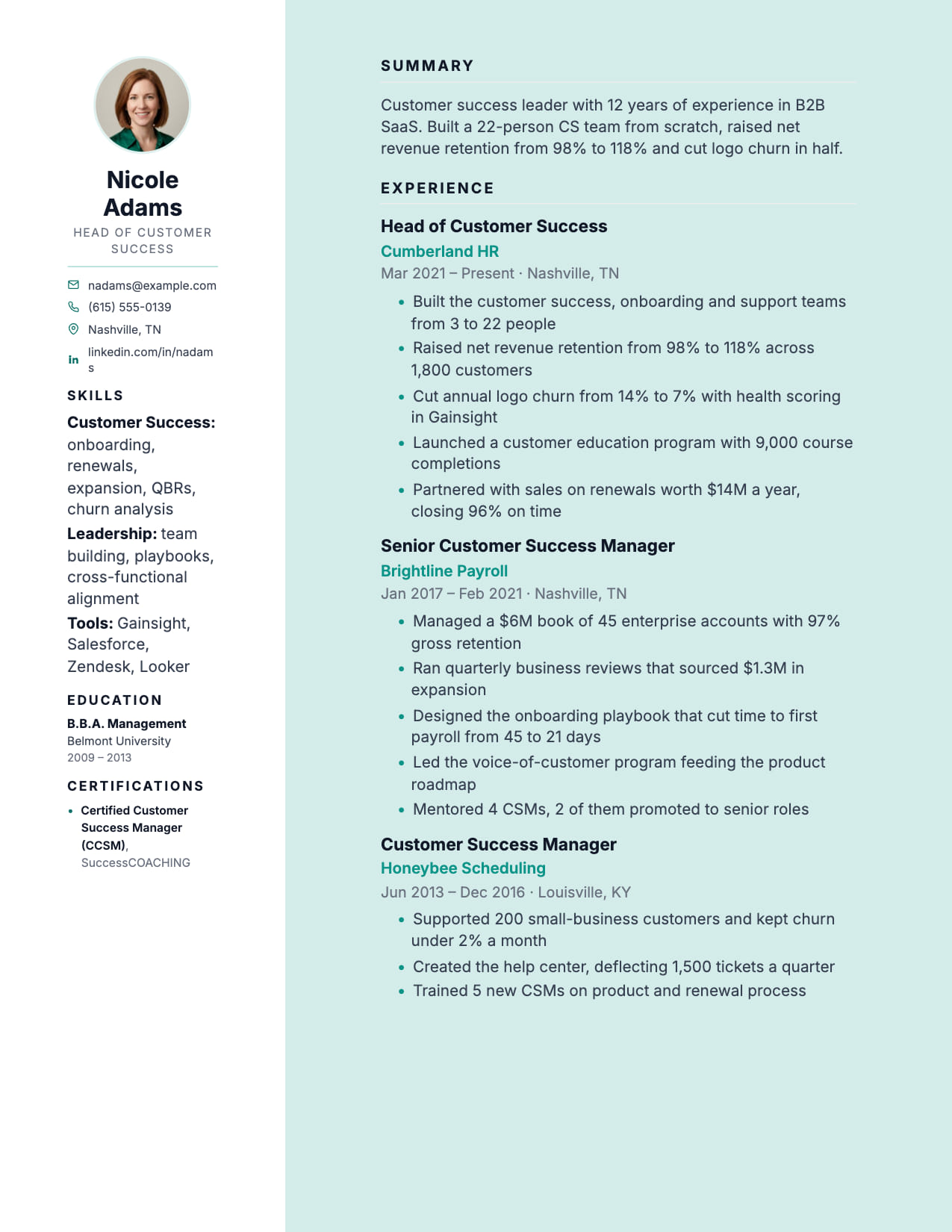
Executive Sidebar Resume Template
Dark sidebar with photo. Corporate and legal feel for senior roles.
No credit card · No watermarks · Switch templates any time
About this template
Executive Sidebar pairs a dark left sidebar (carrying your photo, contact details, and key skills) with a clean white main column for your career narrative. The result is a resume that communicates gravitas and organization simultaneously.
For senior professionals in corporate law, finance, management consulting, and large enterprise leadership, Executive Sidebar matches the professional aesthetic those environments expect. The dark sidebar signals structure and precision; the white main column provides detailed, scannable experience.
The sidebar accommodates professional photo, contact details, core competencies, and professional memberships, keeping the main column clean for achievement-led experience bullets without credential clutter.
The design is pitched at the seniority level it targets: the extra polish signals that you take the application seriously, which is exactly the message senior roles require.
Who is this template for?
- Senior professionals in corporate law, finance, and consulting
- VP and C-suite candidates in regulated industries
- Senior management in large enterprises
- Professionals from photo-normalized markets (UK/EU)
Start with this template for free
Upload your existing resume or start from scratch. CVEdge pre-fills your content into the template and gives you an instant ATS score.
Why this template works for experienced professionals
Executive Sidebar moves contact details, skills and certifications into a dark sidebar, freeing the full main column for experience. It suits senior candidates with substantial credential lists (consultants, architects, certified professionals) who would otherwise spend half of page one on supporting detail before reaching any actual work.
Recommended section order
- 1Sidebar: contact, skills, certifications
- 2Main: summary, experience, education
The split exists to protect the main column. Anything that supports your candidacy without demonstrating it (tools, certifications, languages) belongs in the sidebar so the main column stays entirely about what you have done.
What to put where
Sidebar
Contact first, then skills grouped by category, then certifications with issuing body. Keep entries to a line each. The sidebar is narrow and wraps badly with long text.
Summary
Top of the main column. Scope and strongest outcome, as with any senior document.
Experience
The full width is the point. Use it for scope lines and result-led bullets rather than allowing longer, looser sentences.
Education
Main column, at the end, or move it to the sidebar if you need more room for experience.
Common mistakes with this template
- Overloading the sidebar until it becomes a second document competing with the main column.
- Putting achievements in the sidebar. It is for supporting facts. Accomplishments belong where they get read.
- Long certification names that wrap awkwardly in a narrow column. Abbreviate with the full form given once.
- Choosing a two-column layout for a portal application without checking that it parses. See the FAQ below.
When to choose something else
Applications through strict corporate portals where parsing risk is unacceptable will usually be better served by the single-column Executive layout.
Questions about this template
Is Executive Sidebar good for C-suite applications in the UK?+
Yes. Executive Sidebar's photo integration and formal structure suit UK corporate expectations. For US applications the photo sidebar is less conventional, so consider Executive or Executive Pro instead.
Can Executive Sidebar accommodate 20+ years of experience?+
Yes. The main column handles extensive career history well. Keep older roles brief (company, title, 1 bullet) and expand recent 5–7 years in detail.
Are sidebar resumes safe for ATS?+
It depends how the sidebar is built, and that is not something you can see by looking. Sidebars constructed with tables or text boxes frequently parse in the wrong order, interleaving skills through your job history. This template renders as a flowing layout rather than a table, so the text extracts in a sensible order, but for a high-stakes portal application, a single-column document removes the variable entirely.
What should go in the sidebar versus the main column?+
Supporting facts go in the sidebar and evidence goes in the main column. Contact details, skills, tools, certifications and languages establish that you are qualified. Experience, achievements and scope belong in the main column, because that is where a reader's attention goes and where your case is actually made. If you find yourself putting an accomplishment in the sidebar, move it.
Template features
- Dark sidebar creates immediate authority and structure
- Photo integration professional and understated
- Main column clean for achievement-led experience
- Professional memberships and certifications in sidebar
- Premium PDF output suitable for board-level submission
More experienced professionals templates
View all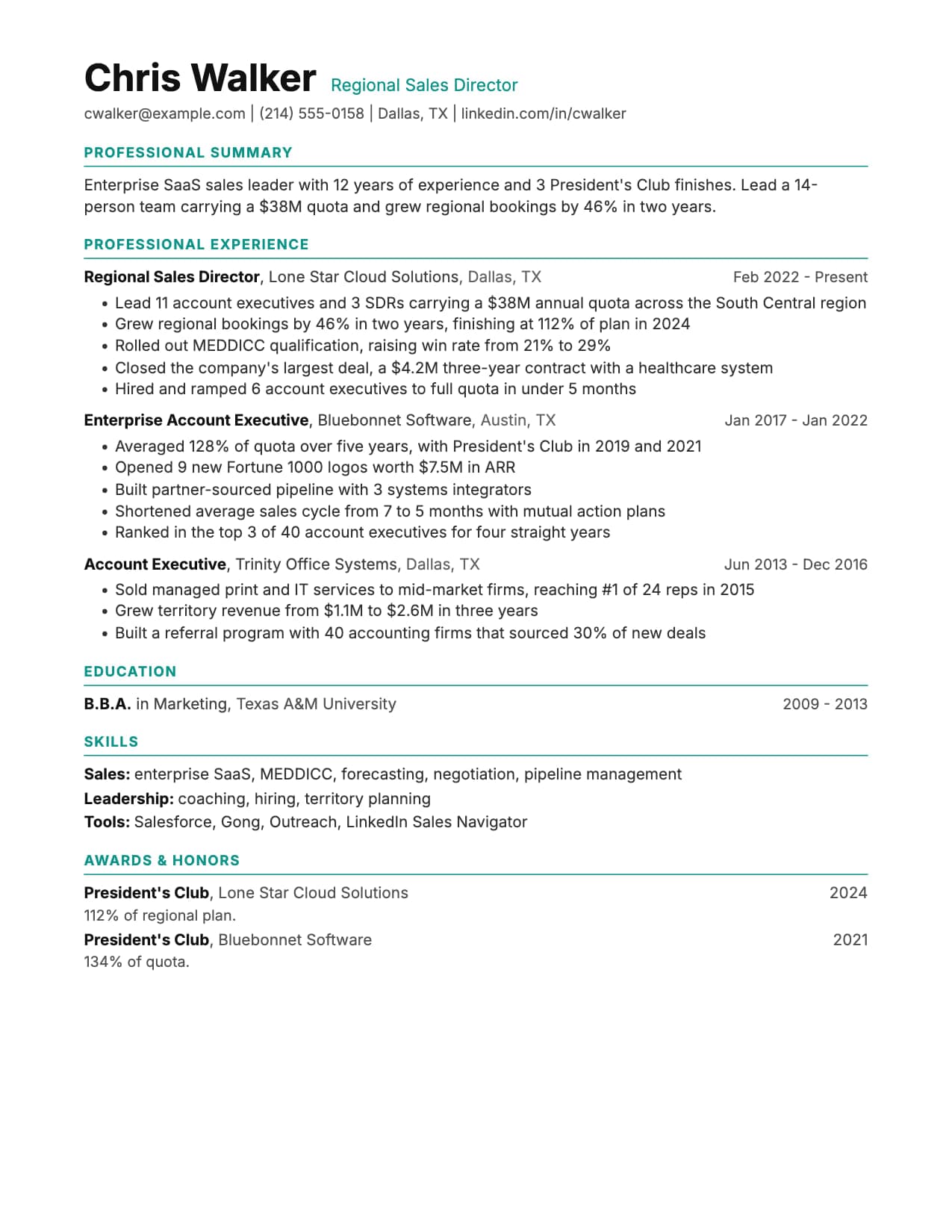
Executive Resume Template
Built for twenty years of career on two pages, with premium spacing and a summary that leads, on a single ATS-safe column. Free to edit online, or download as Word or PDF.

Executive Pro Resume Template
Bold photo header with dark contact bar. Leadership presence from the first line.

Ledger Resume Template
Finance-inspired clean lines. Numbers and metrics command attention.
Build your resume with Executive for free
Upload your existing resume or start fresh. ATS score included. No credit card required.