

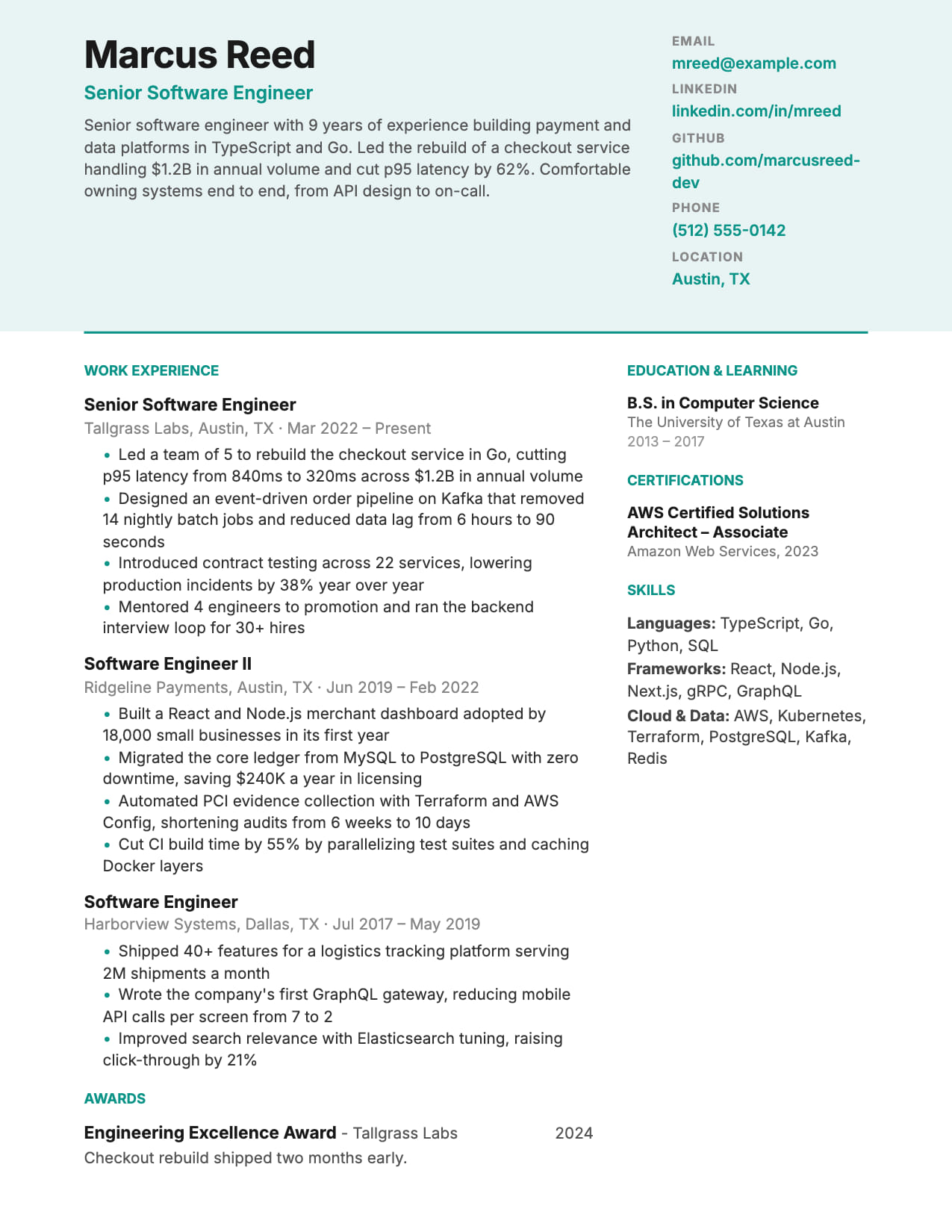
Horizon (Two-Column) Resume for Software Engineers
Full-width header, dense two-column body. Pack maximum content into one page.
No credit card · No watermarks · Switch templates any time
About this template
Horizon gives software engineers the best of both worlds: a full-width header that carries your name and contact details prominently, then a two-column body that packs experience and skills into one highly readable page.
This is the go-to format when you have 5+ years of experience and a long skills section. The two-column body lets you show both depth of experience on the left and a structured skills inventory on the right without spilling onto page two.
For software engineers with broad skill stacks (cloud, languages, frameworks, tools), Horizon's skills column makes your technical breadth immediately visible. Recruiters scanning for specific technologies find them faster than in a buried skills list at the bottom of a single-column resume.
Horizon scores well on ATS. The full-width header and clear column structure parse correctly through major systems. CVEdge's ATS analyzer will flag any issues specific to your content.
Who is this template for?
- Engineers with 5+ years and broad technical stacks
- Full-stack developers with many skills to showcase
- SWEs whose experience doesn't fit cleanly on one column
- Engineers at growth companies who want density without clutter
Start with this template for free
Upload your existing resume or start from scratch. CVEdge pre-fills your content into the template and gives you an instant ATS score.
Why this template works for software engineer
Horizon places a full-width header across the top with a two-column body beneath, which lets you keep skills and education visible alongside experience rather than pushing them below the fold. It suits engineers with a broad stack who want the technology list readable without spending main-column space on it.
Recommended section order
- 1Header: contact, title, summary
- 2Left: experience
- 3Right: skills, education, certifications
The header is fixed and carries your identity and summary at full width, so both columns can start on substance. Experience takes the larger column and supporting detail takes the smaller.
What to put where
Header
Name, target title, contact and a two-to-three sentence summary. Full width means it reads as a single statement rather than a cramped block.
Experience (left)
The wider column. Scale and results as always. The layout does not change what makes an engineering bullet work.
Skills (right)
Grouped by category. The narrow column suits short grouped lists and wraps badly with long entries.
Education & certifications (right)
Compact entries. Anything needing more than two lines belongs in the main column.
Common mistakes with this template
- Putting achievements in the right column, where they read as supporting detail rather than evidence.
- Long framework names or certification titles that wrap awkwardly in the narrow column.
- Using a two-column layout for a strict portal application without considering parsing. See below.
- Letting the header grow until it takes a third of page one.
When to choose something else
Applications through strict corporate portals will usually be better served by the single-column Classic layout.
Questions about this template
Does Horizon's two-column layout cause ATS parsing issues?+
The full-width header parses cleanly. Two-column body sections are handled well by modern ATS systems. Run CVEdge's ATS analyzer on your specific content to catch any role-specific issues.
How many skills can the Horizon template display?+
The skills column comfortably handles 15–25 skills in grouped categories (Languages, Frameworks, Cloud, Tools). More than that becomes dense. Use categories to organize.
Will a two-column resume fail an ATS?+
Not automatically, but it introduces a risk single-column layouts do not have. The failure mode is a layout built with tables, where the parser reads across rows and interleaves your skills through your job history. This template flows as text rather than a table, so it extracts in a sensible order, but for an application that really matters, a single-column version removes the question entirely.
How do I check whether my resume parses correctly?+
Open the PDF, select all, copy, and paste into a plain text editor. What appears is approximately what a parser extracts. Check three things: are your contact details present, is the reading order sensible, and did every section survive? If skills appear spliced through your job history, the layout is being read across columns and you should switch to single-column.
Template features
- Full-width header for prominent personal branding
- Two-column body maximizes page real estate
- Skills column makes technical breadth immediately visible
- Configurable right-column sections via CVEdge designer
- Scores well on ATS, with clean header parsing
More software engineer templates
View all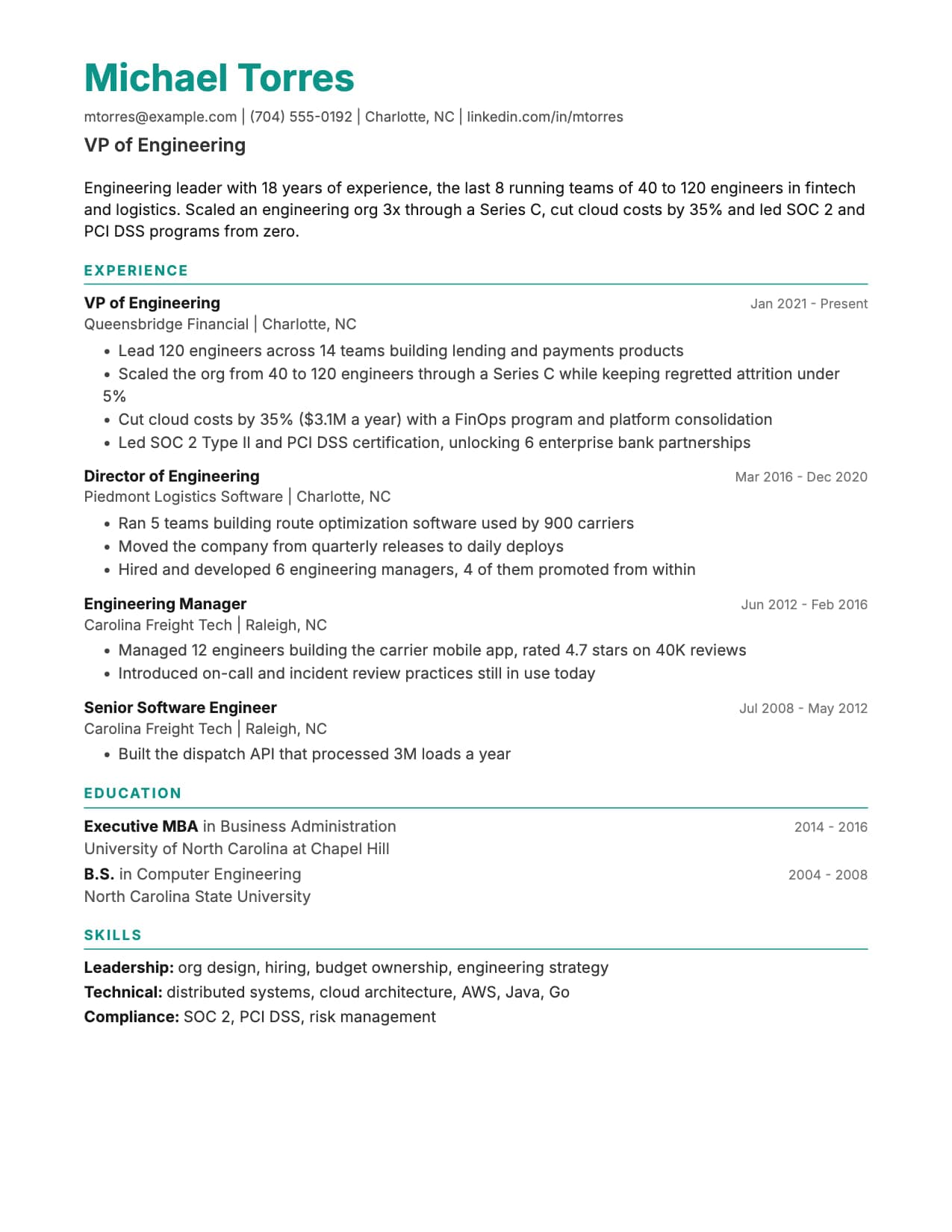
Classic Resume for Software Engineers
The safe bet. Scores 95+ on ATS. Works for every company from startup to FAANG.
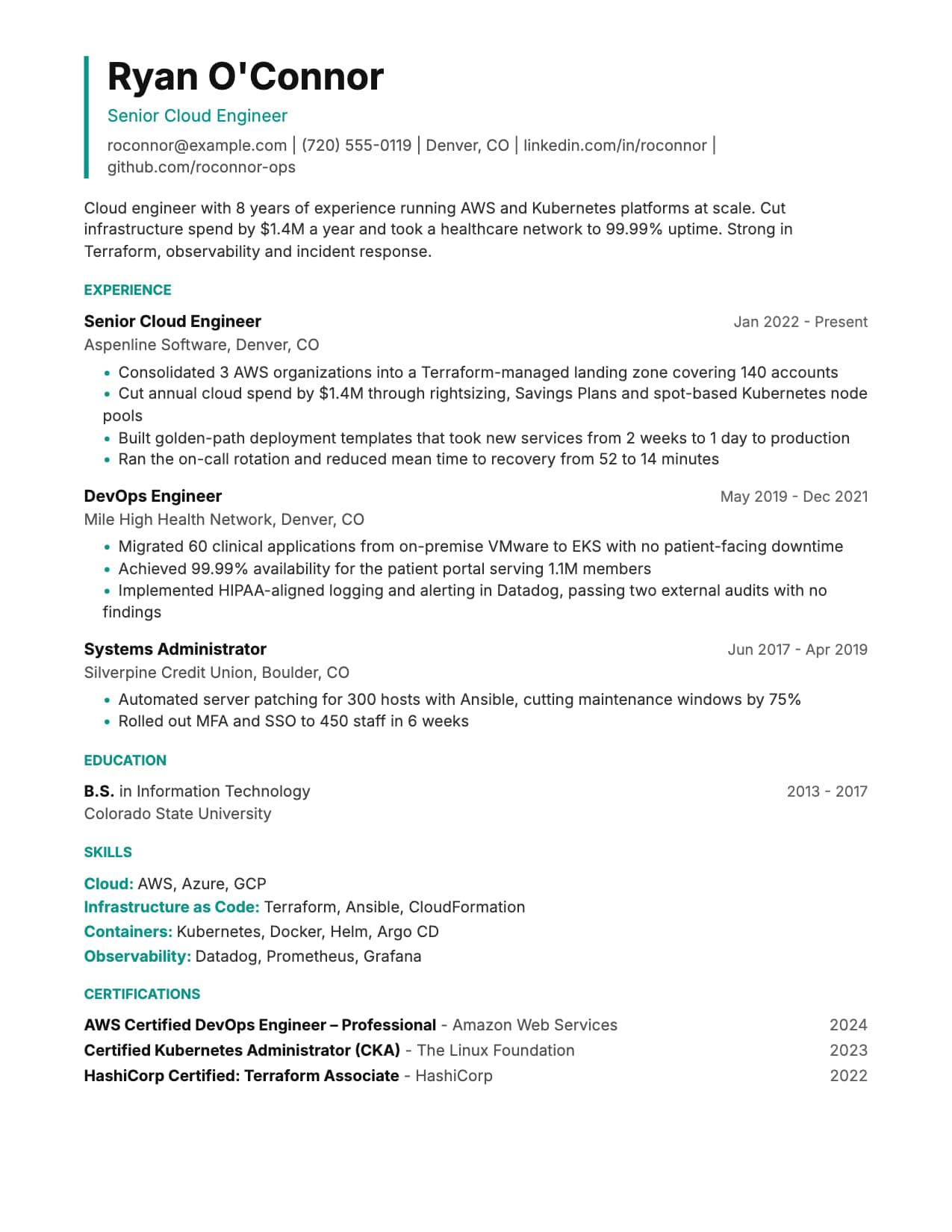
Sharp Resume for Software Engineers
Bold section dividers, modern look. Passes ATS while standing out from generic formats.
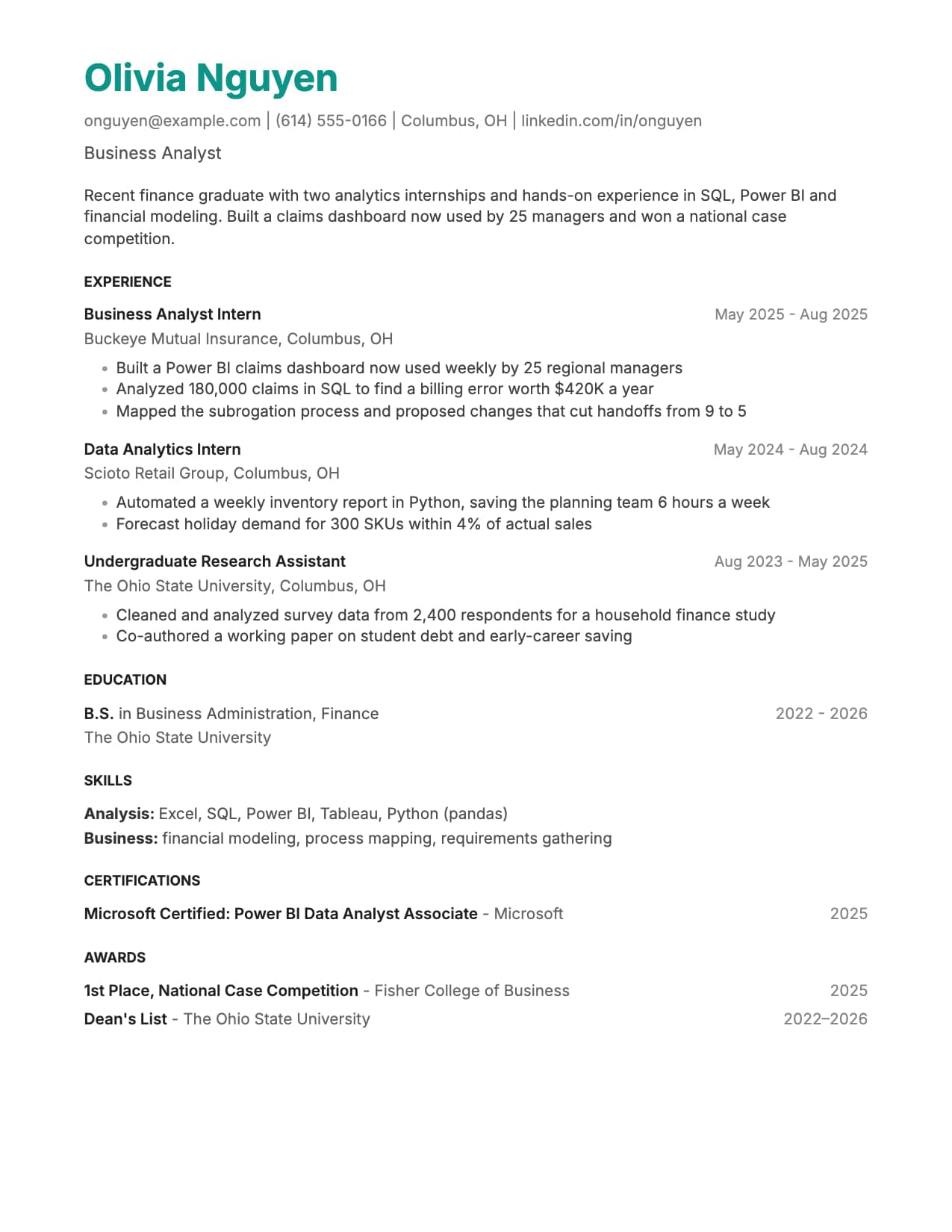
Minimal Resume for Software Engineers
Maximum whitespace. Your code speaks louder than your template.
Build your resume with Horizon for free
Upload your existing resume or start fresh. ATS score included. No credit card required.