
Resume format advice tends to collapse into "keep it simple", which leaves the actual decisions unanswered. Should you use two columns? Where does the skills section go? Is a functional CV really fatal? This guide answers the format questions specifically, and separates the choices that genuinely break parsing from the ones that are merely unfashionable.
The three structural formats
Reverse chronological — the default, and correct for most people
Roles listed newest first, each with dates, company and bullets. This is what parsers are built around and what recruiters expect, and it is the right choice for the large majority of applications.
It works because it answers the two questions a reviewer asks first: what are you doing now, and how did you get there. Any format that obscures those questions creates friction.
Functional — almost always a mistake
Skills grouped by theme, with employment history reduced to a bare list at the bottom. It is usually chosen to disguise gaps or a career change, and it fails on both counts.
Parsers struggle with it because achievements are detached from employers and dates, so the structured record ends up with skills that belong to no job and roles with no content. Recruiters, meanwhile, recognise the format instantly and read it as concealment, which draws attention to exactly what it was meant to hide.
If you have gaps or are changing field, the better answer is a chronological CV with a strong summary that frames the transition, and a brief honest note on any significant gap.
Hybrid — useful for career changers
A skills summary near the top, followed by a full reverse-chronological history. This gives you a place to establish relevance immediately without hiding your timeline.
It parses cleanly because the employment history is intact, and it genuinely helps when your job titles do not signal what you can do. Keep the skills block tight: four to six lines, not half a page.
Single column versus two column
This is the format question with the largest real consequence, and the answer is more specific than "avoid columns".
The problem is not visual columns as such. It is how the columns are built. Layouts constructed with tables or text boxes frequently parse in the wrong reading order, interleaving your sidebar with your main content so that a skills list ends up spliced through your job history. The extracted text becomes incoherent even though the page looks fine.
Two-column layouts built as proper flowing text can parse acceptably, but you have no way of knowing which kind you have from looking at it, and you cannot control which parser receives it. For an application that matters, single column is the choice that removes the risk entirely.
A practical compromise: use a two-column design for the version you send directly to humans or attach to networking messages, and a single-column version for portal applications.
Section order that works
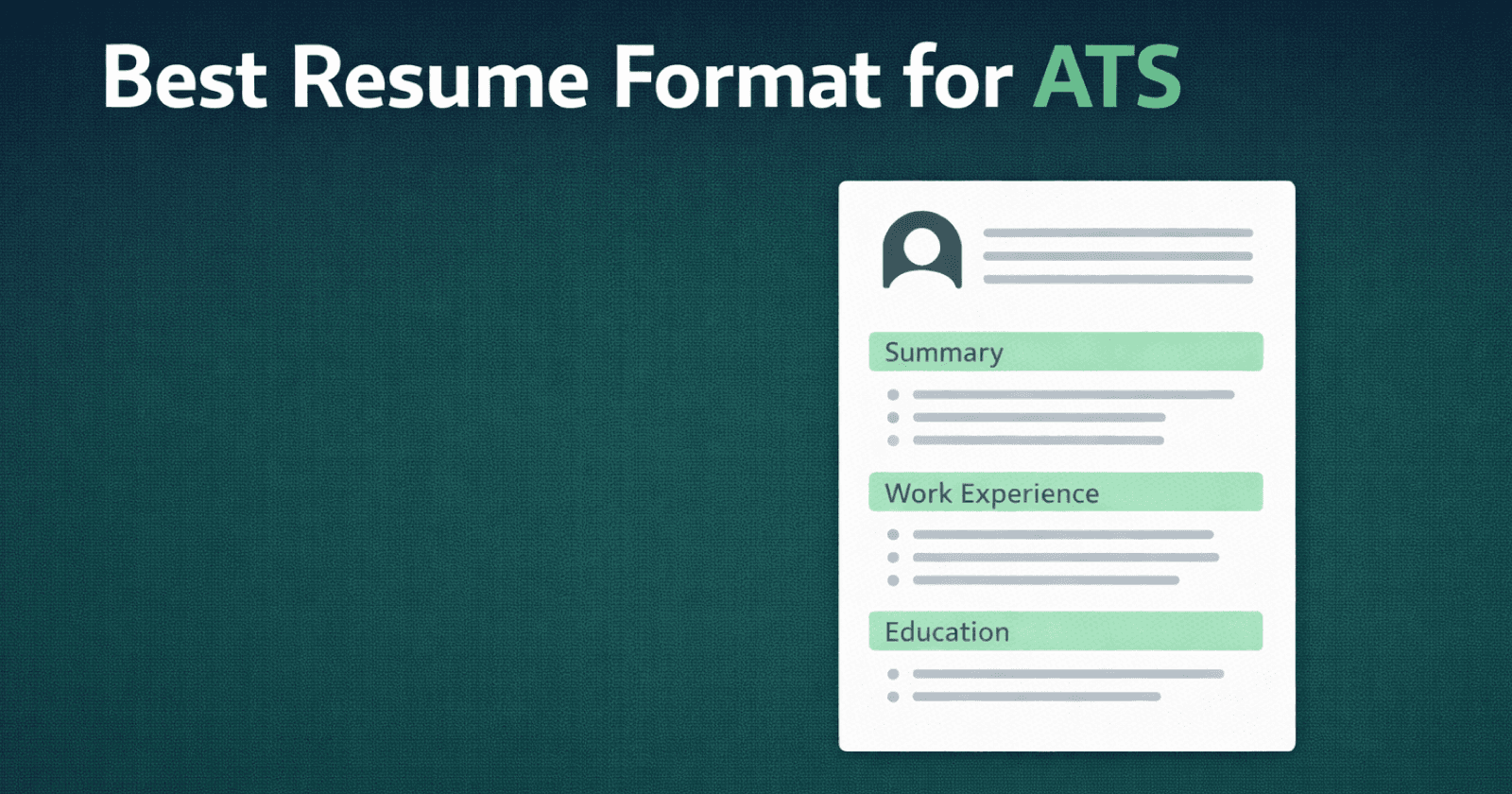
Parsers cope with reordering better than humans do, so section order is mostly about the six-second scan. A reliable arrangement:
- Contact details: in the body of the document, never in a header
- Professional summary: three or four sentences stating specialisation, level and your strongest result
- Experience: reverse chronological, most detail on the most recent role
- Skills: grouped and scannable
- Education
- Certifications, projects, publications: as relevant
Two exceptions. Recent graduates should put education above experience, since it is the strongest thing they have. Candidates in fields where a licence or certification is a hard requirement (nursing, accountancy, some engineering disciplines) should surface it near the top rather than burying it.
Headings: be conventional
Use "Experience", "Education", "Skills", "Certifications". Parsers map these reliably. Creative alternatives ("Where I've Been", "My Toolkit", "The Journey So Far") may not map at all, and content under an unrecognised heading can be dropped from the structured record.
This is one of the few places where originality has no upside and a real downside.
The design choices that silently break parsing
- Contact details in the document header. The most damaging single mistake, because it can leave you unreachable. Some parsers never read header content.
- Tables and text boxes. Reading order corruption, as above.
- Skill rating bars and icons. A five-dot proficiency indicator contains no text. So does a phone icon standing in for the word "phone". Whatever the graphic implies, the parser sees nothing.
- Text inside images. A CV exported as an image, or a design with a graphical name banner, extracts as nothing at all.
- Unusual or non-embedded fonts. Can extract as garbled characters. Stick to widely available typefaces.
- Dense multi-level nesting. Sub-bullets under sub-bullets often flatten unpredictably.
Length and file type
On length: one page under roughly three years of experience, two pages for most mid-career professionals, and two to three for senior people with genuine publication or certification depth. The old one-page absolute is not a parser requirement and has not been a general expectation for years, but a two-page CV padded to reach length is worse than a tight single page.
On file type: submit PDF unless the posting explicitly asks for .docx. Modern parsers handle PDF well, and it preserves your layout. The one caveat is that the PDF must contain real selectable text: an exported image dressed up as a PDF parses as an empty document.
The two-minute self-test
Open your CV, select all, copy, and paste into a plain text editor. What appears is roughly what a parser extracts. Check three things: are your contact details present, is the reading order sensible, and did every section survive? If any answer is no, that is a format problem worth fixing before you apply anywhere else.
Start from a format that already parses
Rebuilding a layout to be parser-safe is fiddly. Every CVEdge template is single-column-safe by construction, with contact details in the body and no tables or image-based text, and you can check any CV's parsing for free to see exactly how it extracts before you send it.
Frequently asked questions
What is the best resume format for ATS?
Reverse-chronological, single column, standard section headings (Experience, Education, Skills), no tables or text boxes, saved as PDF or DOCX. It is what parsers are built around.
Do two-column resumes fail ATS?
Often. Many parsers read across columns, merging a sidebar's dates and skills into the main text. If you must use two columns, keep contact details and experience in the main column and check the parsed output.
Is a functional resume bad for ATS?
Yes, in practice. Grouping skills without dated roles leaves the parser with no work history to score, and recruiters read it as hiding gaps. A hybrid format with a short skills summary above a chronological history is the safe compromise.
PDF or Word for ATS?
Either, if the posting does not specify. Modern systems parse PDFs well; use DOCX only when the application form asks for it, and never send an image-based PDF or a scan.